Start with the person, then follow the work
Daymello keeps information around each young person. Their record brings together background information, goals, consent, risks, planned work, written accounts and supporting documents.
You do not need to do every job yourself. Your role and allocation decide what you can see and change. Start with the work assigned to you.
The three places you will use most
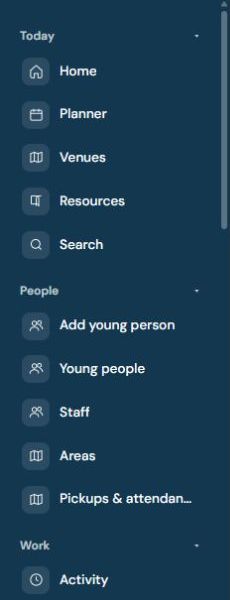
Home brings work needing your attention together. Planner shows scheduled work across dates. Open the people list for young people to find the correct person’s record.
These are different views of connected work. Opening an existing booking from another page should not mean creating a new booking or account.
Before doing anything, check the person’s identity and the date. Two similar names, or two visits in one week, are easy to confuse.
Who does which parts
- Delivery staff read the record, prepare assigned work, record attendance and write up what happened.
- An authorised scheduler books work. Your manager may have done this before you open the calendar.
- An authorised checker reads submitted accounts and signs them or asks for corrections.
- The DSL handles the concern queue and records decisions and follow-up.
- Your admin or other authorised colleague sets up access and configuration. Creating a new record is not everyone’s first task.
Your organisation may combine jobs or rename roles. Having access to read something does not always give permission to change it.
Before your first delivery
Sign in using your own account and confirm you are in the correct organisation. Find the record allocated to you and read current information.
Check goals, relevant consent and risk controls before choosing the activity. Ask the responsible colleague about missing or unclear information.
A missing record may mean an allocation or access issue. Do not create a duplicate simply because you cannot find it.
Step 1: book a slot, then prepare it
Booking answers who and when. Preparation answers what, where, why and how. These are separate stages even when you reach them through the same card.
If a slot already exists, open it and prepare that slot. Check the responsible staff, date, time, location, purpose and linked goals.
A saved planning draft keeps unfinished work. It does not make the plan ready for recording. Finish the preparation and check the resulting state.
Step 2: record whether it happened
On the day, record the actual attendance outcome. A planned activity can still be missed, cancelled or prevented by illness.
If it did not happen, complete the reason and safety questions offered. Follow up any safety uncertainty using your organisation’s procedure.
The non-delivery flow is a branch of the process. It does not require inventing a normal delivered account.
Step 3: write up the delivered work
Record actual times, what was done, the support provided and how the person responded. Include their own words where appropriate.
A useful account connects the activity to its goals. Separate observation from information someone else gave you, and explain changes from the original plan.
Saving a write-up draft keeps work for later. Submission asks the authorised checker to read it. Those actions have different outcomes.
Step 4: checking and corrections
The checker reads the account and either signs it or returns it with a reason. If returned, correct the existing account and resubmit it.
Do not create a replacement booking or write-up to clear a returned item. If an account is already signed, ask about the proper correction process.
Step 5: look at progress over time
Individual accounts build the evidence for decisions about goals and longer-term progress. A single activity and a half-term report answer different questions.
Keep learning-plan decisions and periodic reports connected to the recorded evidence. Finishing a report, signing it and sending it are separate actions.
At any stage: safety comes first
Use the concern workflow when something needs safeguarding attention. A mention in a write-up is not proof that a separate concern was raised.
Check the concern’s confirmation and follow your organisation’s procedure for urgent contact. Keep confidential details within the appropriate record.
A worked example
A slot is booked for Wednesday. You read the record, choose an activity supporting a current goal, and complete the preparation.
On Wednesday, the activity goes ahead. You record delivery, write the actual times and describe the activity, support and response.
You submit the account. The checker asks for a clearer explanation of the support used. You correct the same account and resubmit it.
After checking, it is signed. Later, that evidence helps explain progress in a periodic report. Nobody needs to create a second record for the same visit.