For authorised safeguarding leads and managers. A concern keeps the original report; a case organises continuing work around one young person.
Steps
- Open Case register. Use the title, status and owner filters, then press Apply.
- Press New case. Find the first concern by young person, reference, summary or date, then choose the owner, overall due date and next review date.
- Open the case. Use Link concern for another concern about the same young person and record why it belongs.
- Press Add action for each next step. Give it an owner and due date, then complete it with an outcome or cancel it with a reason.
- Use Edit case to change ownership, dates or monitoring status. Read the case history before changing an older decision.
- Resolve every open action before Close case. Record the outcome. Use Reopen case with a new owner and dates if work starts again.
If it goes wrong
- If no case matches, press Clear filters and search again.
- If a save says the record changed, close the dialog, review the latest case and enter the change again.
- If closing is unavailable, follow the link to the open actions and resolve them first.
How the records fit together
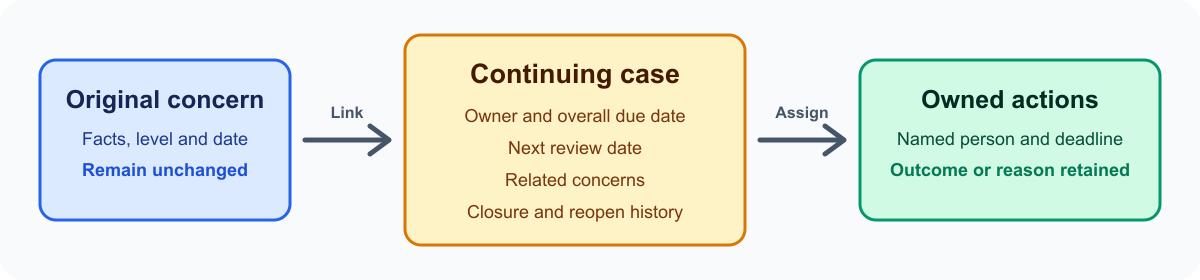
Removing a concern from a case does not delete the old link. The person, time and reason remain visible in case history.
Open the original concern when work belongs on that report. Use case actions for work that belongs to the continuing case.
Case history shows safe before-and-after details for ownership, dates and status. Protected narratives remain redacted from the audit copy.